


Vivino: Drink the Right Wine
4.75.91K Reviews
App Specs
- Version
- 2026.35.3
- Updated On
- License
- Free
- Downloads
- 10,000,000+
- Developer
- Vivino ApS
- Categories
- Food & Drink
- Platform
- Android, iOS
Screenshots
 Analysis by AppCompare
I find wine decisions easiest when I can slow down and compare a few useful clues rather than guess from a label or price alone. Vivino is built for that kind of quick reference: it helps identify bottles, gather opinions, and keep a record of what I have enjoyed. It is a free Food & Drink app from Vivino ApS, with a 4.7 average from around 226,000 ratings and more than 10 million installs. Those figures suggest broad appeal, but the real question is whether its tools fit the way you choose and remember wine.
Readable screens and a clear starting point
The interface is organized around practical actions: looking up a bottle, exploring recommendations, checking a wine list, and revisiting wines you have saved. That makes it easier to get a specific task done than it would be in a general search app, where results may mix shops, articles, and unrelated discussion. The label image is also a useful anchor: if I do not know a producer or grape name, I can start with what is physically in front of me.
There is a trade-off, though. Vivino brings together ratings, user comments, discovery, and shopping, so the experience can feel busier than a simple tasting notebook. If you only want to record a bottle and a few personal notes, a basic notes app may feel calmer. I would treat Vivino as a wine reference with a journal attached, rather than as the most minimal way to keep a list.
Different ways to interact, different points of friction
Scanning gives the app a practical advantage for people who find long wine names awkward to type or remember. It can also help when a small label makes a producer’s name hard to read. But a camera-based lookup still depends on being able to frame the label or menu clearly; glare, dim lighting, a curved bottle, or an unusual layout can make that step less convenient. If a scan does not give a useful result, searching by the words you can read is a sensible fallback.
Ratings and tasting notes are visual and text-led, so the app is easiest to use when you can comfortably read and compare that information. I would not assume that a crowd score alone tells the whole story: people have different preferences, and a wine that suits a popular palate may not suit yours. If you are sensitive to dense screens or find it tiring to evaluate several options at once, narrowing your search to a familiar style or a bottle you have saved can reduce the amount of comparison you need to do.
Using it around a meal, a shop, or a cellar
The app is most useful when the decision is already in front of you. At a shop, I can scan a bottle before buying and check whether its general profile matches what I want. At a restaurant, a wine-list scan can help me compare unfamiliar choices without turning dinner into a long research session. At home, the journal gives me a way to remember what I liked instead of relying on a vague recollection of “that red from last weekend.”
For a shared meal, I would use recommendations as a shortlist, not as an automatic answer. A highly rated bottle may still be the wrong fit if guests prefer lighter wines, if the food calls for something different, or if the group has a firm spending limit. Checking the description and reviews alongside your own preferences is more useful than picking the biggest number on the screen.
Worth Reading Before You Choose

Baby Panda World Brings Quick Play to Modern Phones, but Its Game Library Feels Busy

ESPN’s Live Game View Makes Following Close Games Easier

QuizzLand Review: A Good Fit for Short Trivia Breaks, Not Every Player

Basketball Stars: Multiplayer Is Fast, but Can It Recover When Matches Go Wrong?

WEBTOON Turns Phone Updates Into a Better Reading Routine

Link to Windows Runs on Shared Habits, Not Social Feeds
Where it fits among wine tools
Compared with a general web search, Vivino keeps bottle identification, community opinions, personal tracking, and shopping in one wine-focused place. That can save effort when you are holding a bottle or reading a list. A retailer’s own app may be better if your main goal is checking a particular shop’s stock or completing a purchase there; a spreadsheet or notebook can be better if you want a private, uncluttered cellar inventory. Vivino’s appeal is the connection between what other drinkers say and what you personally choose to record.
That connection also calls for a little judgement. A community rating is a useful signal, not a guarantee of quality or a substitute for knowing what you like. I get more from keeping my own notes than from trying to follow every review. A brief comment such as “good with roast vegetables” or “too sweet for me” can make a later recommendation more meaningful than a score on its own.
Who will get the most from it
I would recommend Vivino to curious drinkers who regularly encounter unfamiliar labels, people who want to remember bottles they have tried, and anyone who enjoys comparing opinions before buying. It can also be useful for someone building confidence gradually: save a few wines you like, notice what they have in common, then use that pattern to explore nearby choices rather than jumping into a completely unfamiliar style.
It is less compelling if you rarely choose wine, do not want to create an account-based profile, or prefer not to consult crowd reviews and shopping suggestions. It is also not a replacement for advice tailored to a specific dietary need or for a specialist’s guidance when you need detailed expertise. If your priority is a private record with no discovery or marketplace layer, a simple offline note-taking method may suit you better.
There are practical questions worth considering before relying on it. You can use the app to explore and record wines, but the most useful results still depend on being able to identify the bottle or menu item and interpret what other drinkers say. A scan is a starting point, not a promise that every label will be recognized. And although the app is free to install, it includes in-app purchases priced from $4.99 to $57.00 per item, so I would check what an optional purchase includes before committing.
Making the experience more manageable
A few habits make the app more useful without turning wine choosing into homework. When saving a bottle, I would add a personal note while the taste is still fresh, especially if the wine was tried with food or in a particular setting. When scanning in a shop, I would compare only a small handful of plausible options rather than browse endlessly. And when checking a restaurant list, I would decide on a style and comfortable budget first; that keeps the lookup focused on choices that could actually work for the table.
These small decisions also help with different levels of wine knowledge. A beginner can use the app to learn which bottles they enjoy without needing to memorize terminology. Someone more experienced can use it as a searchable record and a way to spot unfamiliar producers. Neither person needs to treat the community’s taste as an authority: personal preference remains the most useful filter.
Vivino is rated Teen, and its current version is 2026.4.0, with a minimum operating-system requirement of version 8.0. I would check that requirement against an older device before planning to use it on a shopping trip or at a restaurant. For anyone who meets it, the camera-led lookup and wine journal can make those moments more informed, provided the surroundings allow a clear scan and comfortable reading.
A practical, inclusive verdict
On an ordinary evening, I might be choosing a bottle for dinner and realize I recognize the label but cannot remember whether I liked it. A quick lookup can bring the bottle’s broader reputation into view, while my own saved notes help answer the more personal question. If I am in a shop with poor lighting, I would not keep struggling with the camera; I would try the readable label text or choose a familiar alternative. That is the kind of flexibility that makes the app useful without pretending every setting is equally easy.
Overall, I see Vivino as a capable companion for people who want wine discovery and personal tracking in the same place. Its strongest point is connecting a bottle in front of you with community context and your own history. Its main trade-off is that a feature-rich, ratings-driven experience can be more information than some people want, and camera use or dense text may not suit every situation. If you enjoy exploring wine and are comfortable treating ratings as guidance rather than verdicts, I think it is worth trying; if simplicity, privacy, or a shop-specific inventory matters more, another tool may be a better fit.
If you're anything like me, choosing the right wine can sometimes feel like solving a Rubik’s cube blindfolded. Enter Vivino: Drink the Right Wine, an app that’s like having a sommelier in your pocket. Let’s dive into what makes this app a must-have for wine enthusiasts and casual sippers alike.
Getting Started with Vivino
First things first, downloading Vivino is a breeze. Available for both Android and iOS, it’s a quick download away from transforming your wine experience. Once installed, you’re greeted by a sleek and intuitive interface that's as inviting as a glass of your favorite Pinot Noir.
The initial setup is straightforward. You can create an account using your email or simply log in with Facebook. Once you're in, the app quickly gets to work, helping you navigate the vast world of wines.
Scan and Compare
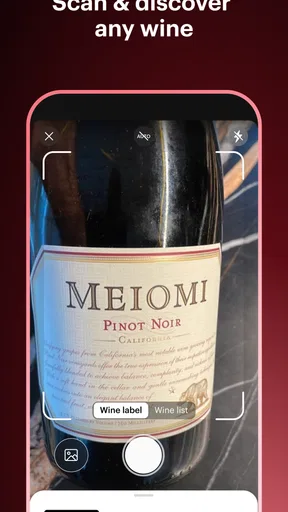
This is where the magic happens. Vivino’s standout feature is its wine label scanner. Just snap a photo of any wine label, and voilà! You get instant access to reviews, ratings, and even the average price of the bottle. It’s like having a wine expert whispering in your ear, “Yes, this one’s a hit!”
But it doesn’t stop there. You can also scan wine lists at restaurants, making sure you’re always picking the best option without second-guessing yourself. The scanner is impressively accurate, and it’s a game-changer for avoiding those awkward moments of uncertainty while perusing a wine menu.
Discover and Explore
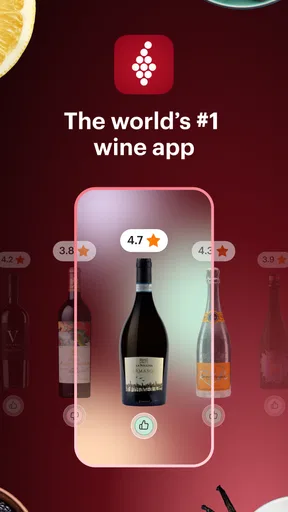
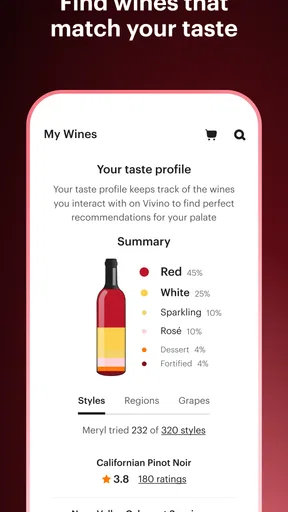
Vivino isn’t just about scanning; it’s also about discovery. The app offers a personalized wine recommendation section based on your past ratings and preferences. Whether you’re a fan of robust reds or zesty whites, Vivino curates a list that’s tailored just for you. It’s like Spotify for wine lovers.
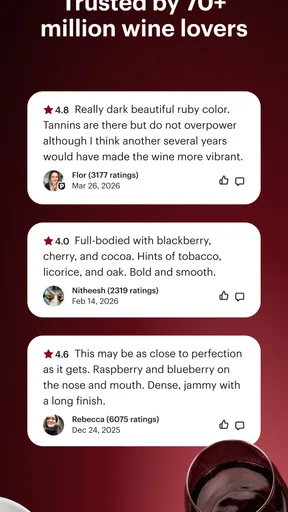
The discovery doesn’t end there. Vivino’s community of wine enthusiasts is vast and lively. You can see what others are drinking, read their reviews, and even follow users whose taste aligns with yours. It’s a social network for wine aficionados, and it’s as fun as it sounds.
The Vivino Marketplace
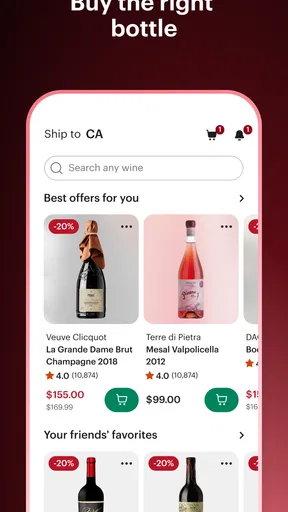
What’s better than discovering a fantastic wine? Being able to buy it right away. Vivino’s marketplace feature lets you purchase wines directly through the app. It’s incredibly convenient, especially when you come across a gem you can’t find at your local store.
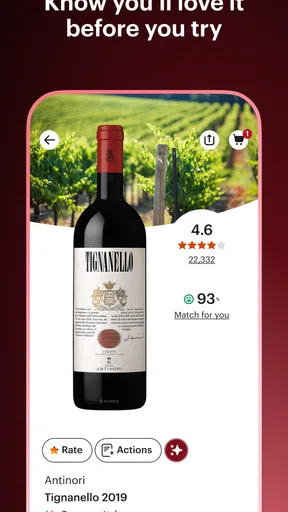
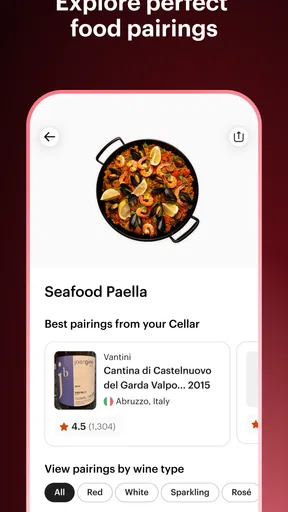
The app provides detailed information about each wine, including tasting notes and food pairings, ensuring that you know exactly what you’re getting before you make a purchase. Plus, with user ratings and reviews, you can buy with confidence.
Keep Track of Your Favorites
One of my favorite features is the ability to keep track of the wines I’ve tried and loved. Vivino lets you create a personal wine journal, complete with your own ratings and notes. It’s a handy tool for remembering that delightful Chardonnay you had at dinner last month or the bold Cabernet from your last vacation.
With this feature, you’re not just collecting wines; you’re collecting memories. It’s perfect for those of us who like to reminisce about past wine adventures or plan future tastings.
Final Thoughts
In a world filled with endless wine options, Vivino: Drink the Right Wine stands out as an indispensable tool for both novices and seasoned wine drinkers. Its user-friendly interface, powerful scanning capabilities, and vibrant community make it more than just an app; it’s a companion in your wine journey.
Whether you’re trying to impress on a first date, navigate a dinner party, or simply enjoy a quiet night at home with a glass of wine, Vivino has got your back. So go ahead, give it a try, and let your next wine choice be the right one.
Pros
- Comprehensive wine database.
- User-friendly interface.
- Community reviews and ratings.
- Personalized wine recommendations.
- Barcode scanning for easy search.
Cons
- Requires internet for full features.
- Ads in the free version.
- Limited offline access.
- Occasional scanning errors.
- Some premium features behind paywall.
FAQs for Vivino: Drink the Right Wine
What is Vivino and how does it work?
Vivino is a wine discovery app that helps users choose the right wine by providing detailed reviews, ratings, and personalized recommendations. By scanning a wine label or searching by name, users can access information about the wine's origin, taste profile, and consumer ratings, making it easier to select wines they will enjoy.
Is Vivino free to use, or are there any premium features?
Vivino is free to download and use, offering basic features like wine label scanning, ratings, and reviews. However, it also offers a premium subscription with additional benefits, such as detailed wine insights, personalized recommendations, and access to exclusive deals. Users can decide if the premium features are worth the investment based on their wine interests.
How accurate are the wine ratings and reviews on Vivino?
Vivino's ratings and reviews are generated by its community of millions of wine enthusiasts. While individual tastes may vary, the large volume of reviews provides a reliable consensus on each wine’s quality. The app also uses advanced algorithms to ensure the ratings reflect the general user experience accurately, making it a trusted source for wine recommendations.
Can I purchase wine directly through the Vivino app?
Yes, Vivino offers a marketplace feature where users can purchase wine directly through the app. It partners with various wine retailers to provide a wide selection of wines that can be delivered to your door. Availability and delivery options may vary depending on your location, so it's advisable to check the app for specific details.
Does Vivino support international wines and regions?
Vivino supports a vast array of international wines and regions, allowing users to explore global wine selections. Whether you're interested in wines from France, Italy, the United States, or emerging wine regions, Vivino provides comprehensive information and reviews, making it an excellent tool for discovering wines from around the world.


